

Role
Target Audience
Duration
Tools
Responsibility
My Role
Service: Junior UX Designer
Company: Fly
Industry: E-Commerce
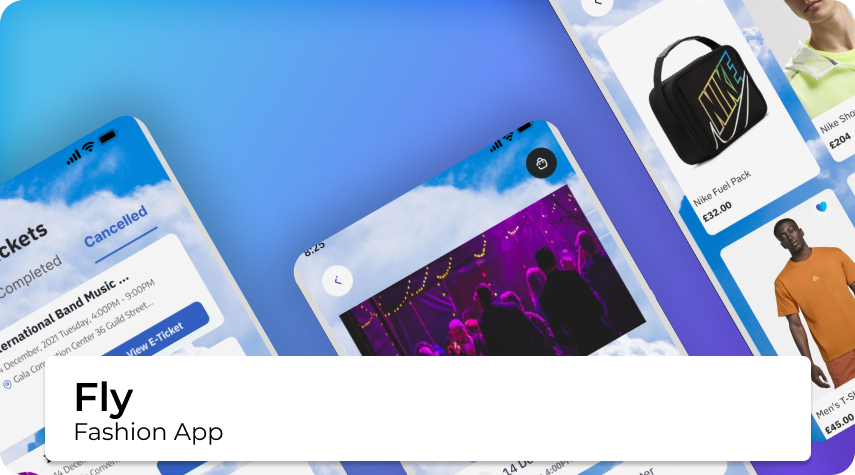
Overview: FLY is an e-commerce startup focused on events and fashion. It develops two mobile apps:
- Customer App: Helps users discover events, purchase tickets, and find outfits tailored to specific events.
- Business App: Enables brands and event organizers to list and sell products, increasing visibility and sales for emerging designers.
Context & Purpose: Initially a six-month placement, my role expanded as I took on leadership in usability testing and cross-team collaboration. I joined after initial MVP was completed. In these early stages, my role was refining wireframes, improving prototypes, and ensuring consistent branding across both apps.
Devices

.png)
Problem
Problem Statement:
FLY was created to address the stress and uncertainty of choosing outfits for events. Pain points uncovered during research included:
- Decision fatigue and wasted time.
- Lack of confidence in outfit choices.
- Reduced enjoyment of events due to self-consciousness.
Objective:
Create a user-friendly solution that reduces decision fatigue and boosts confidence, enabling users to enjoy events stress-free. Enhance the UX/UI for seamless event discovery, clothing purchases, and ticketing, while simplifying the selling process for businesses.
MVP
Design Ideas
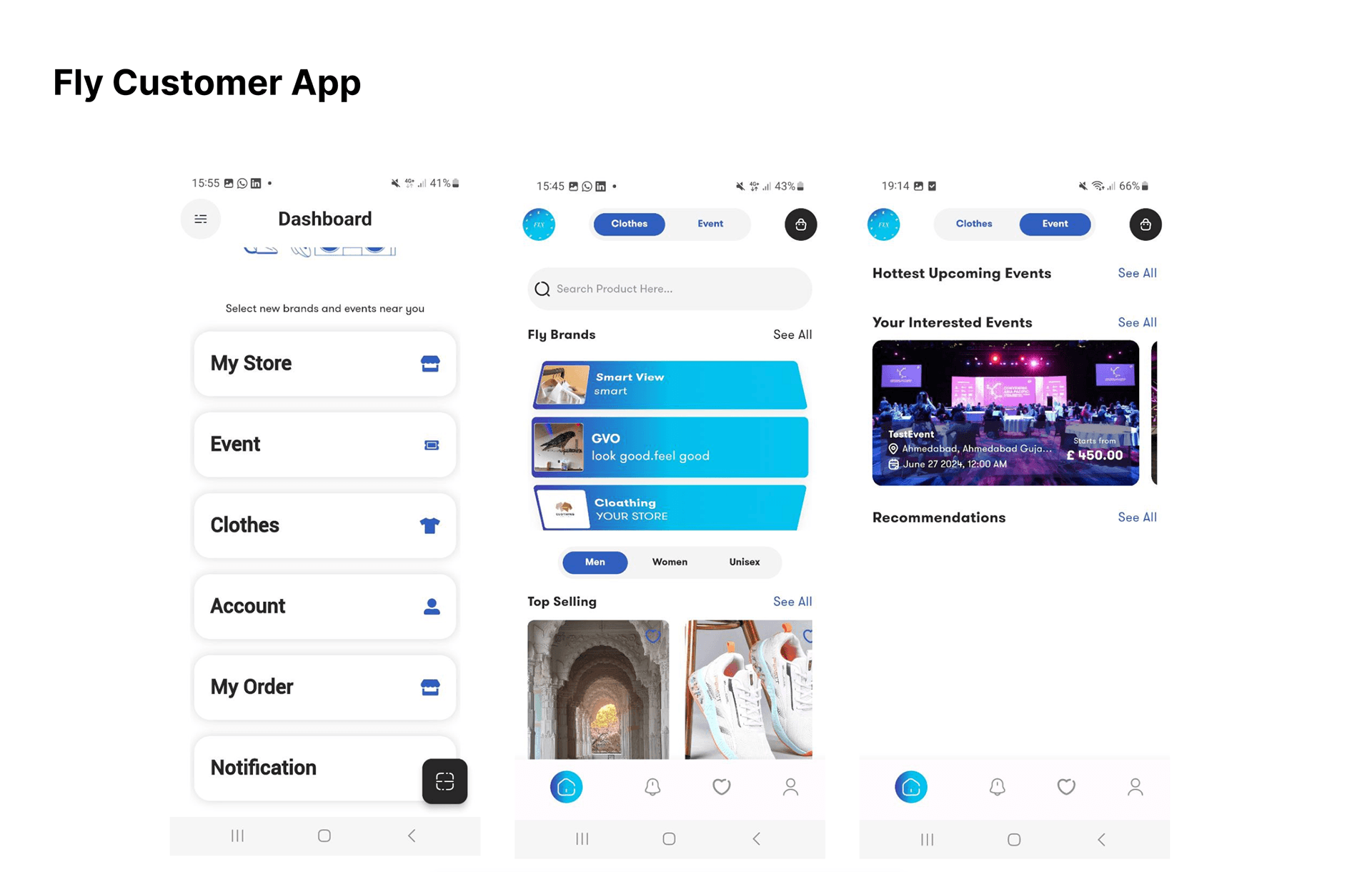
After testing both the customer and business apps myself, this is what they looked like in the early stages—before I collaborated with the Senior UX Designer to improve them:

Fly Customer App
My Initial Customer App Improvement Suggestion Ideas:
Dashboard:
- Clean and simple layout.
- Needs stronger brand colours.
- Repetitive icons – each should have a distinct identity and possibly placed on the left rather than the right.
Clothes:
- Fly Brands: Carousel angles too sharp – should feel more natural.
- My Order: Colours need to align with brand identity.
- Payment Successful: Nice simplicity, but lacking Fly's visual branding.
Events:
- Recommendations: Currently empty – feels unfinished.
- My Order: "No Data" message should guide users with a 'call to action' to find events.
- My Bag: Event types feel off-brand – should focus on nightlife, festivals, etc.


Fly Business App
Initial Business App Improvement Suggestion Ideas:
Account Widgets:
- Clean and simple layout
- Needs stronger brand colours
- Icons are repetitive – each should have a distinct identity.
Clothes:
- Create Cloth: Spelling corrections needed – use "Clothes" or "Clothing" instead of "Cloths"
- My Order: Colours should reflect brand identity
- Payment Successful: Visually clean, but missing Fly's brand elements
Events:
- Event Type: Event options need clearer focus – "dog parties" feel off-brand
- Buttons: White text on blue gradient looks cleaner; black text fades into background
- Notifications: "No Data" should include a CTA to help users find events
- My Bag: Event categories should reflect Fly's core offering (e.g. nightclubs, festivals)
My Role
My Role & Responsibilities as a Junior UX Designer at Fly, I:
- Refined wireframes and developed interactive prototypes to enhance usability.
- Designed onboarding guides for seamless user navigation.
- Led usability testing, gathering feedback and reporting actionable insights.
- Identified user pain points and proposed effective design solutions.
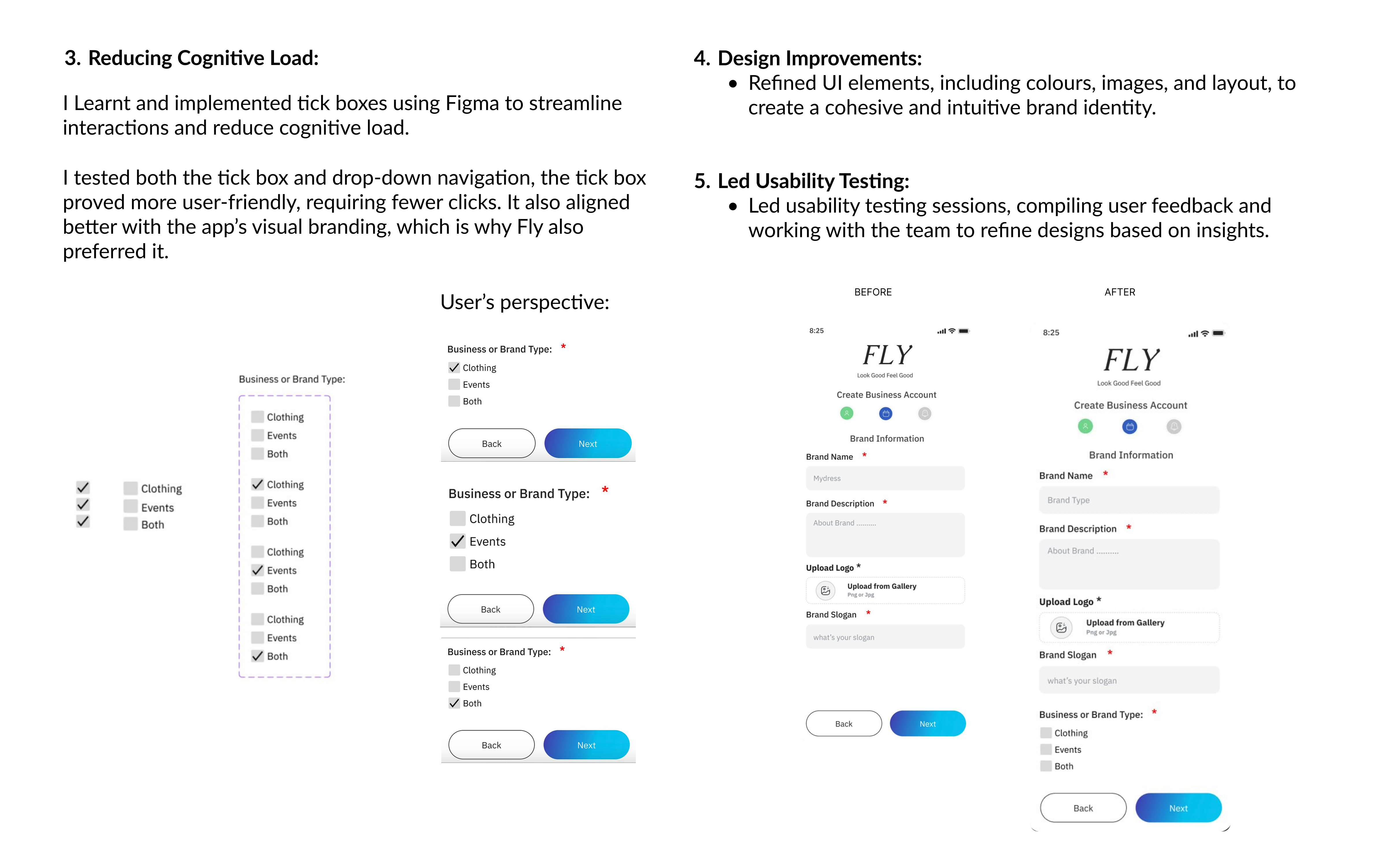
- Simplified workflows to improve efficiency (e.g., reducing clicks, adding tick boxes).
- Actively contributed to brainstorming sessions, generating ideas to elevate user satisfaction.


Design
Design Process
- Wireframing & Prototyping: Worked closely with the Senior UX Designer to refine wireframes and develop high-fidelity prototypes that ensured usability, branding consistency, and clarity.
- User Pain Points & Workflow Improvement: Simplified processes by reducing unnecessary steps (e.g., replacing text-heavy instructions with tick boxes). The goal was to reduce friction and improve the overall user experience.
Usability Testing
Usability Testing for Customer App:
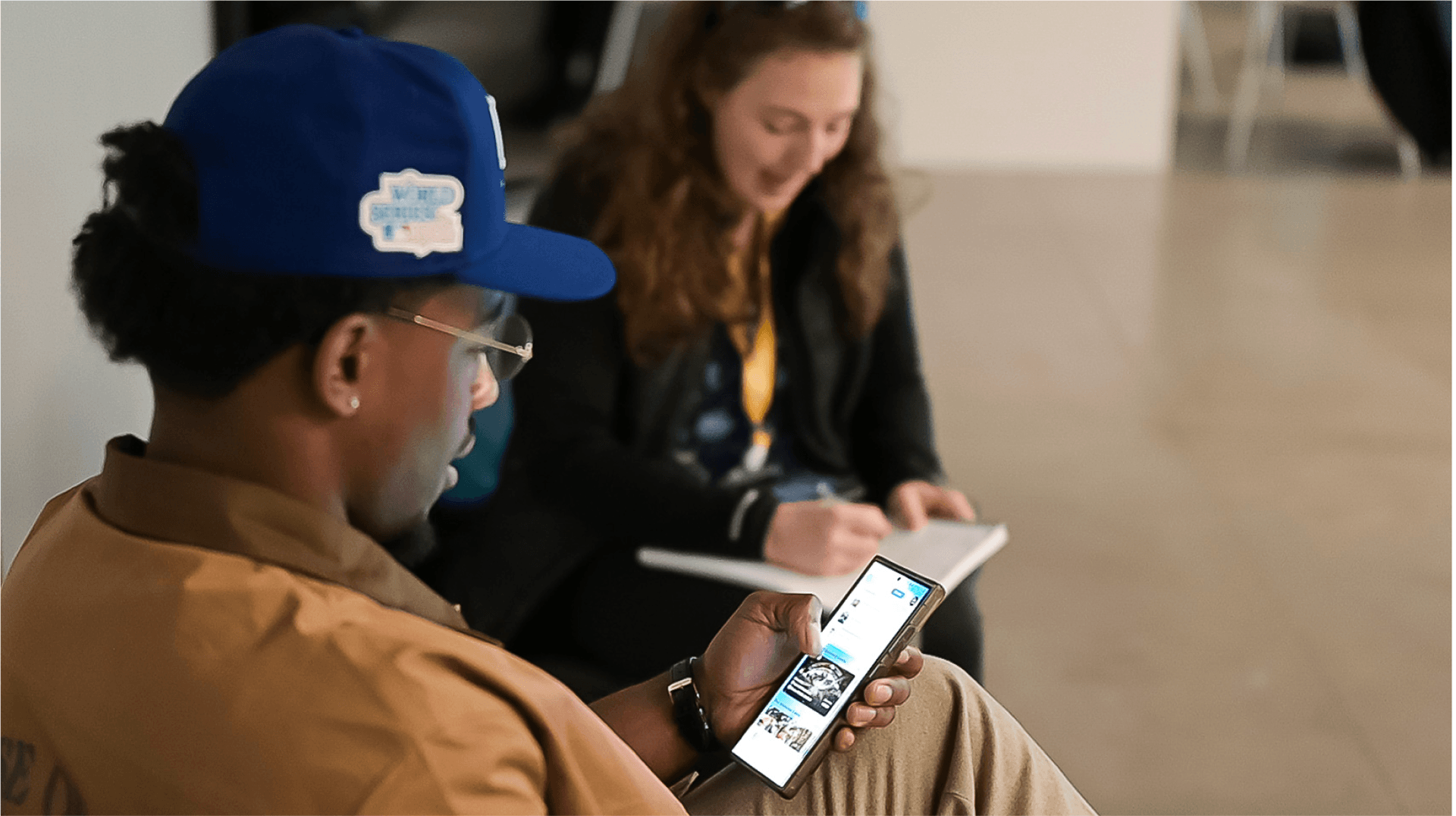
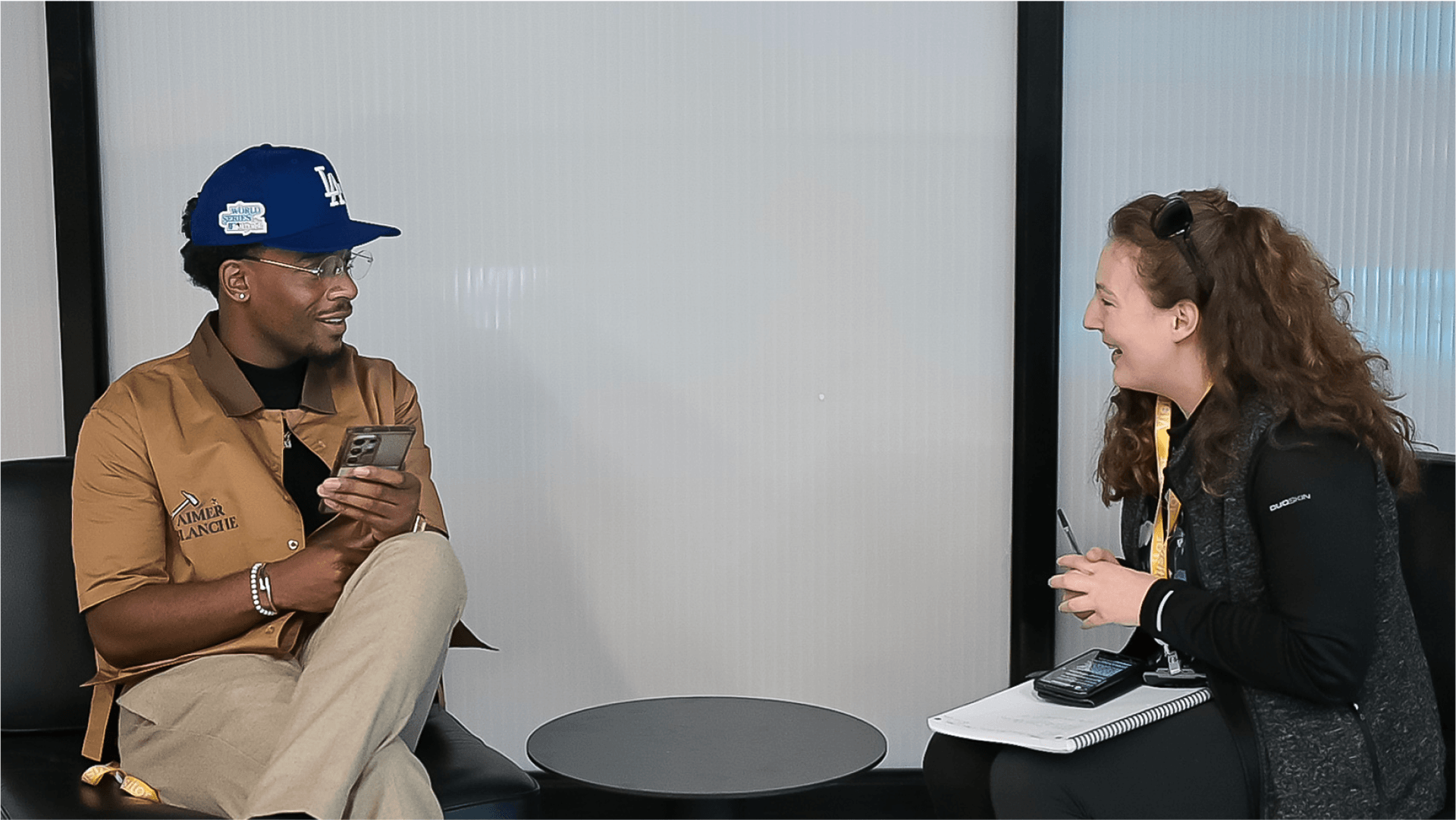
I led the mobile app testing by crafting a script and leading testing sessions to identify user issues, refine designs, and then I collaborated with the development team to make iterative improvements.
Script Summary:
- Up for a 5 mins testing out Fly app?
- Have you heard of Fly before?
- Recording app testing: happy with this
- Can I ask, do you ever go to an event and need help deciding what to wear?
- First scenario: You have a type of event in mind and you would like to check what's on offer for next Saturday and buy tickets. What kind of event would you choose and how would you go about buying your tickets on the app?
- Second scenario: You want to buy some clothes for this event, how would you go about this on the app?
- Thank you for your time, you have been super helpful.
- Do you have any final thoughts on the app, that you would like to share with us today?
- Thank you for your feedback, and lovely to meet you. Bye.
Usability Testing
Continued
Usability Testing Thoughts:
With more time, I would have liked to analyse the usability testing results in greater depth and categorise them, as I’ve done in my CareerFoundry course projects. However, Fly needed the results in presentation format by the next day to hand over to developers as evidence for final changes.In this situation, I recognised the need to balance user needs with business goals due to the tight timeline. I prioritised providing a clear overall summary, as this was Fly’s preference.My process was as follows:
- I gathered and listened to all participant voice recordings, noting key feedback.
- I identified and analysed common user pain points across the 6 participants.
- I proposed potential solutions to address these issues.
The ‘Usability Test Result’ findings are outlined below:
Usability Test Results: Overview:
- 6 participants tested the app (via audio, screen, and camera recordings)
- Tasks Completed: – Events: 6/6 – Clothing: 6/6
- 4/6 said they would use the app (3 females, 1 male)
- 2/6 would not (both males – happy with their own clothing choices)
Key Pain Points:
- Home screen lacks a clear focal point – confusing for new users
- Filters not enough options and need expanding: Budget, Body Type, Event Date, Genre, Region (e.g. London, Manchester, Birmingham)
- Images need to be more professional and visually aligned with the brand
- Outfits/Events tabs should be more prominent (noted by 3 users)
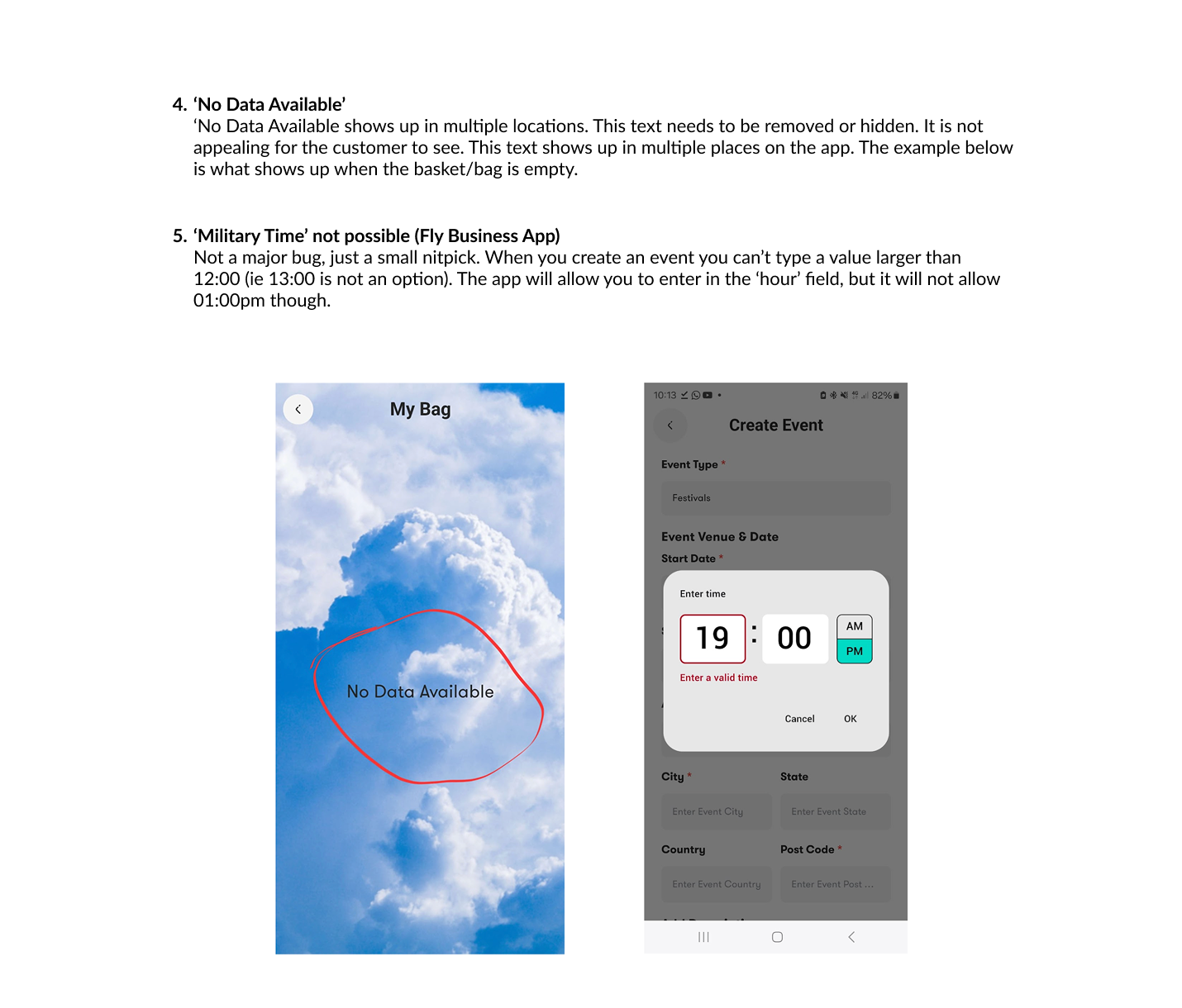
- "No Data Available" message is unclear – could be mistaken for a signal issue
Events Feedback:
- Users need region-specific filters and personalised event suggestions
- Interest in events tailored to genre preferences (e.g. Jazz)
- "Book Event" button was unresponsive when clicked in the centre (prototype issue)
- Some relied on ‘search’ to find events rather than the events section
Clothing Feedback:
- Desire for body type-based outfit suggestions (mentioned by 2)
- Questions about realism of outfits for actual concerts
- Interest in event-specific clothing suggestions
- Requests for a wider range of outfits
- Want to see photos of real people wearing the outfits
- Need for a budget filter to personalise clothing options
Top 5 Recommended Customer App Changes:
Based upon most urgent
- Highlight Events & Outfits Tabs: – Make larger and more prominent as a key focus on the home screen
- Improve Filter Options: – Add filters for Budget, Body Type, Event Date, Genre, and Region (e.g. London, Manchester, Birmingham)
- Fix 'Book Event' Button: – Users instinctively clicked the centre, which didn’t respond – Ensure the entire button area is clickable in the prototype
- Replace 'No Data Available' Message: – Use a more positive, action-oriented message with clear guidance
- Use High-Quality Clothing Images: – Include professional photos of outfits on real models to help users visualise fit and style for different body types
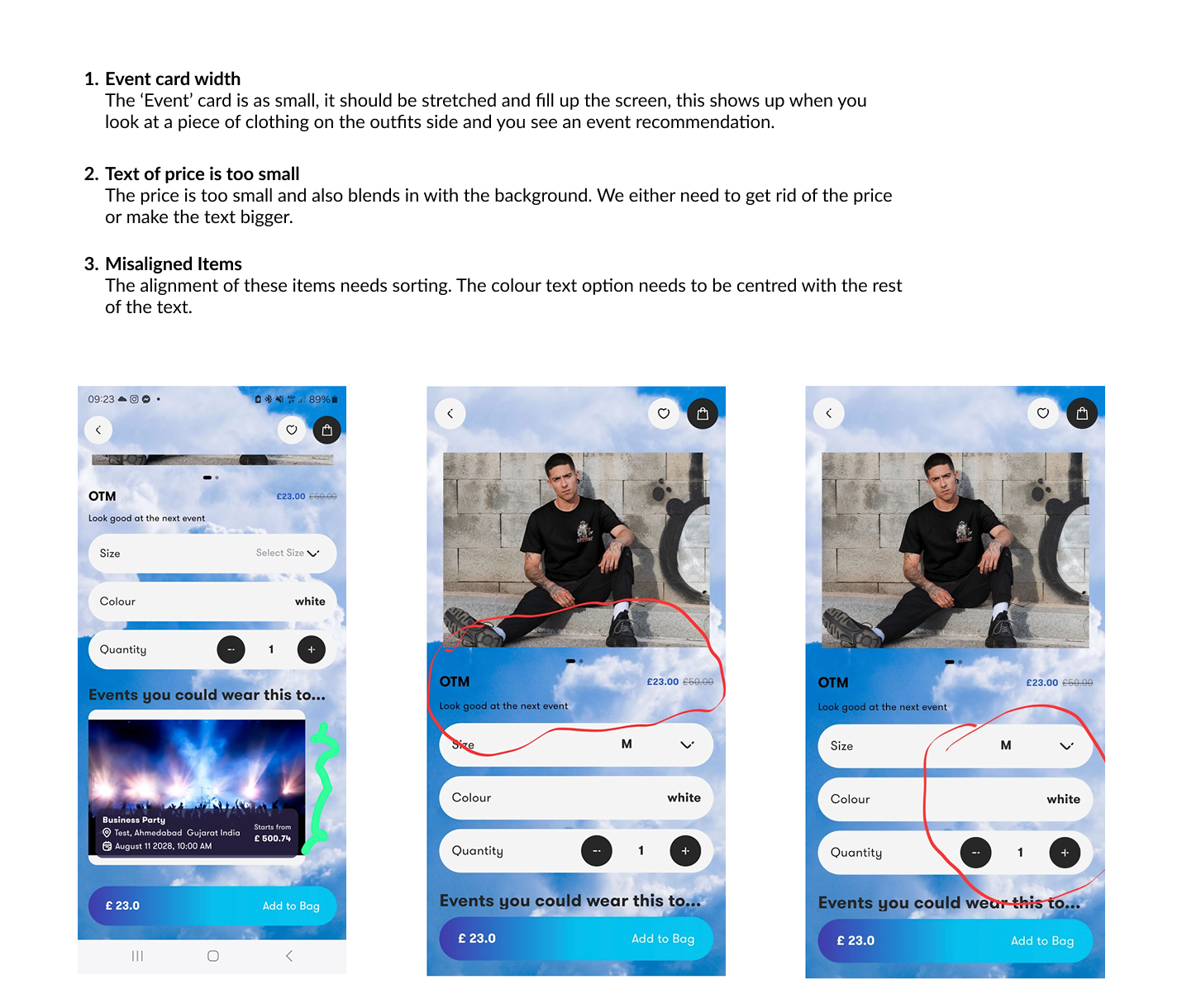
In addition to the usability testing findings I documented, my Senior UX Design colleague shared screenshots with brief notes highlighting further UI/UX changes he noticed. These were separate from the user testing results and were added to the report.
Final Design
Final Design & Outcomes Summary
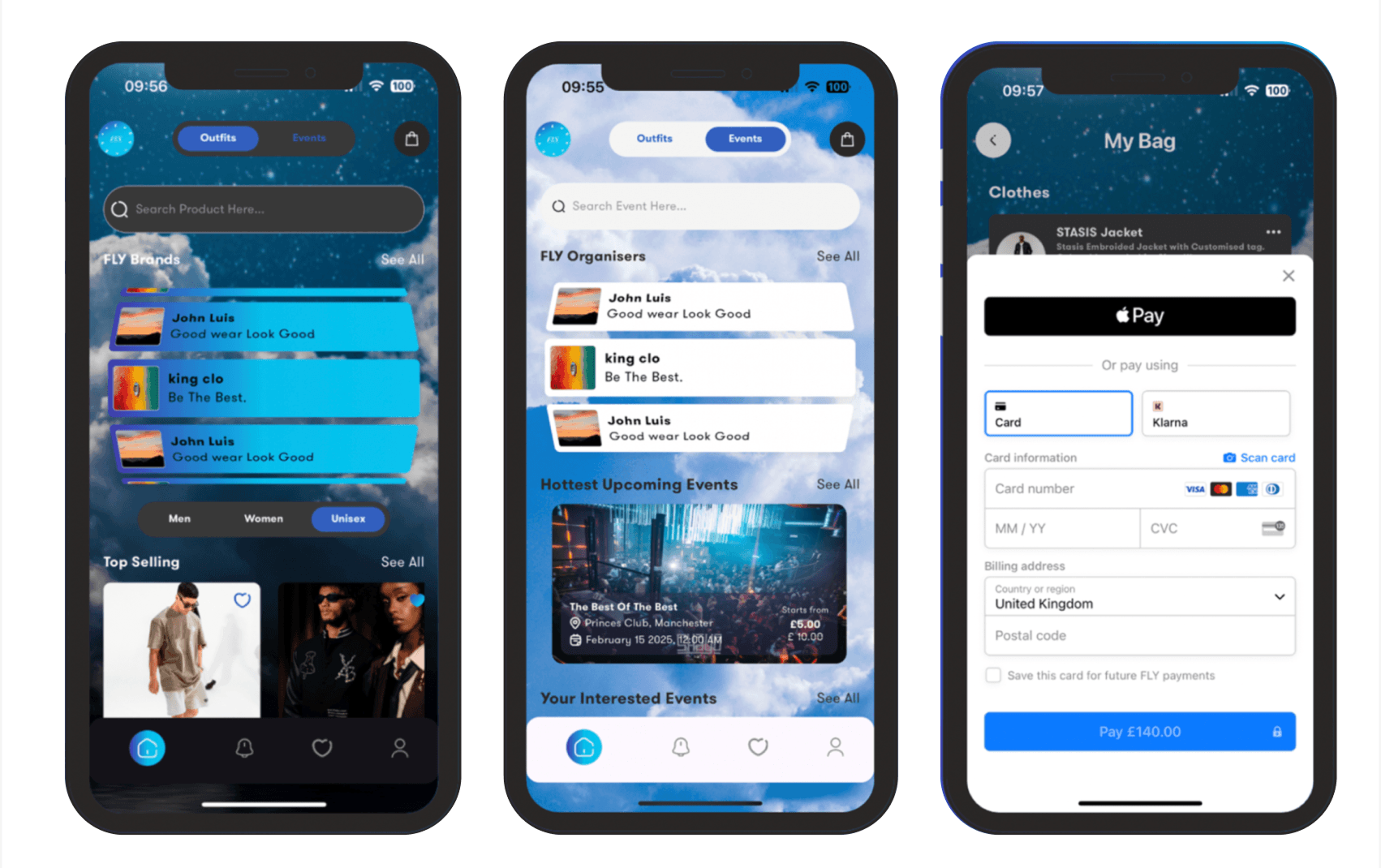
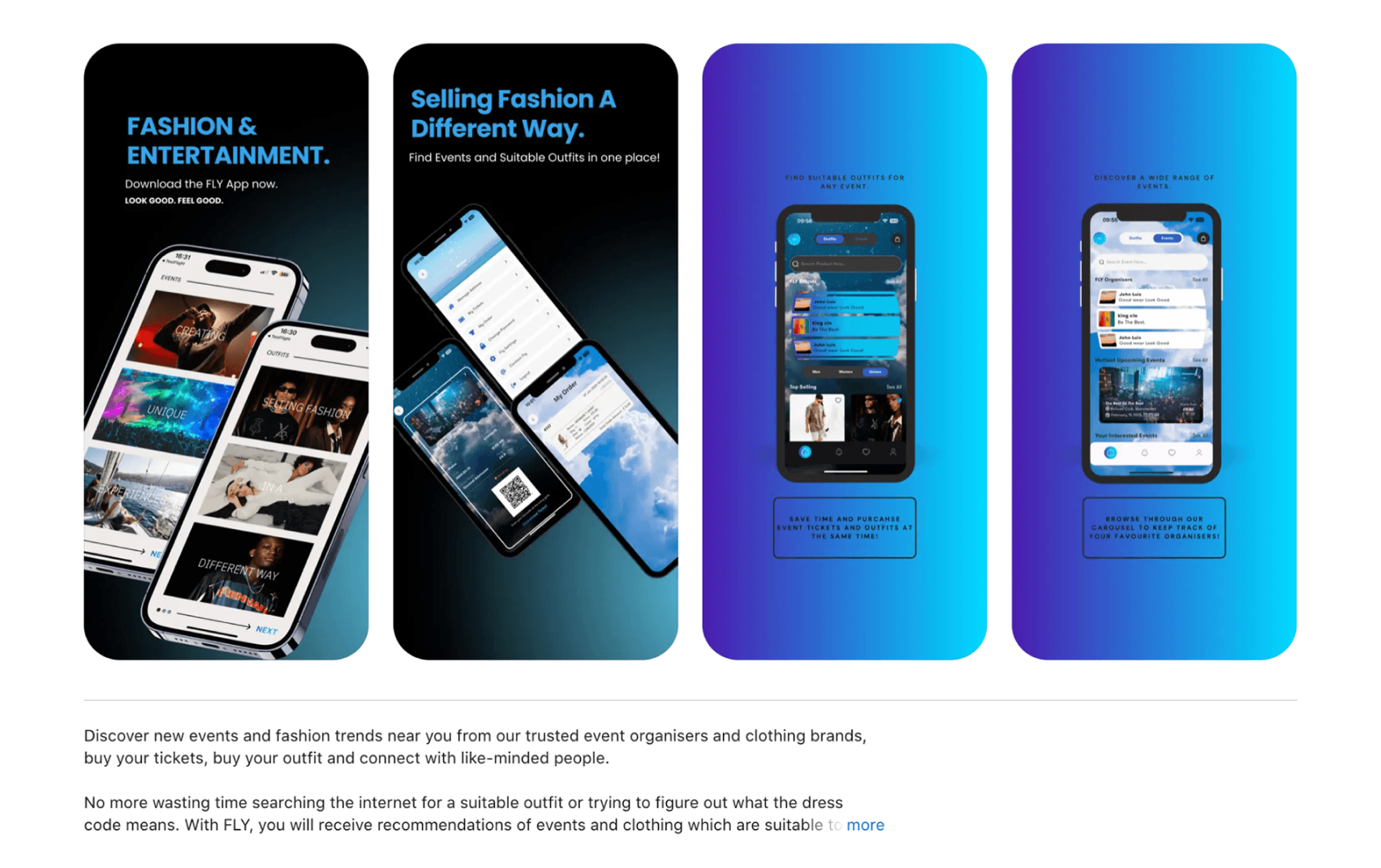
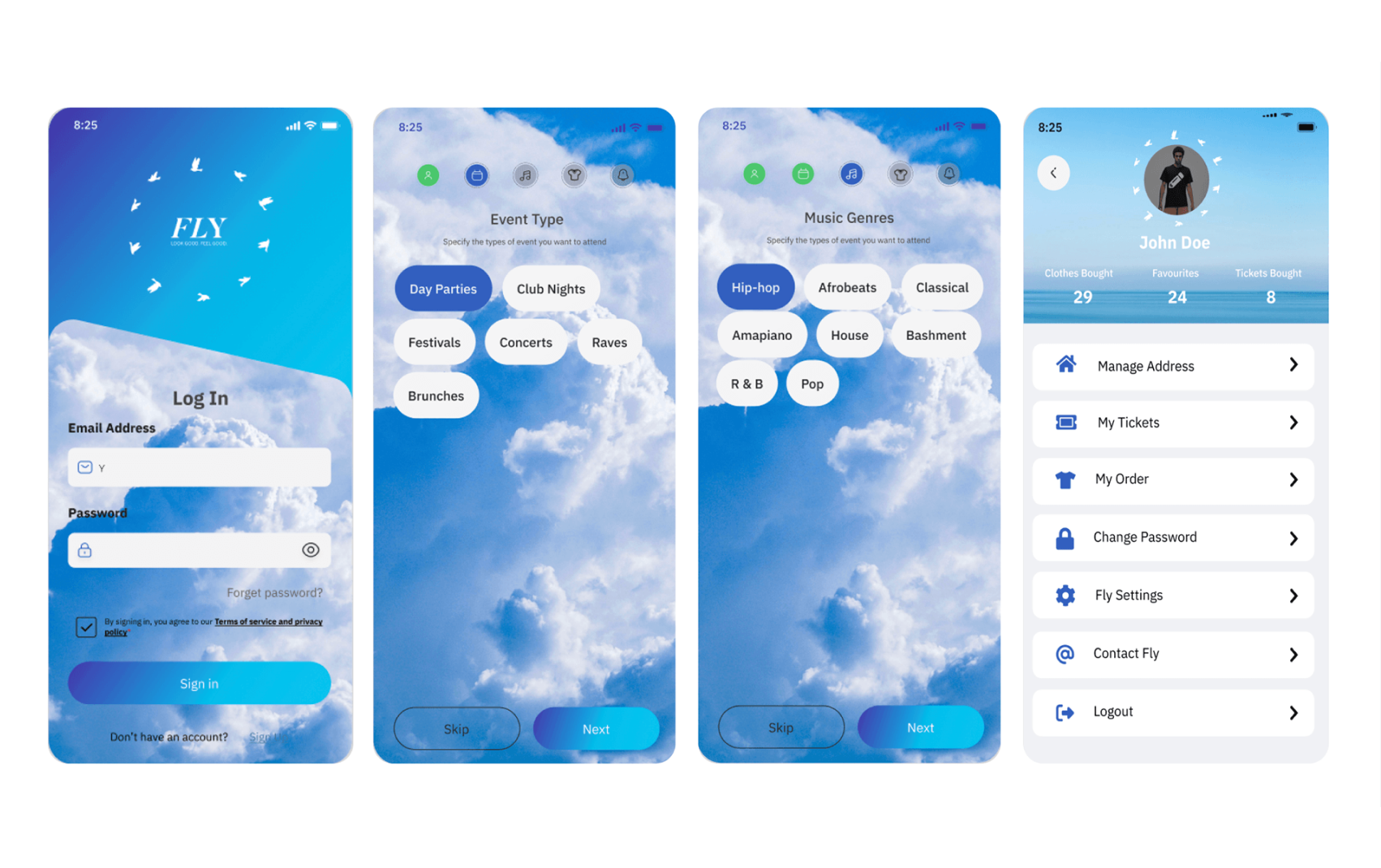
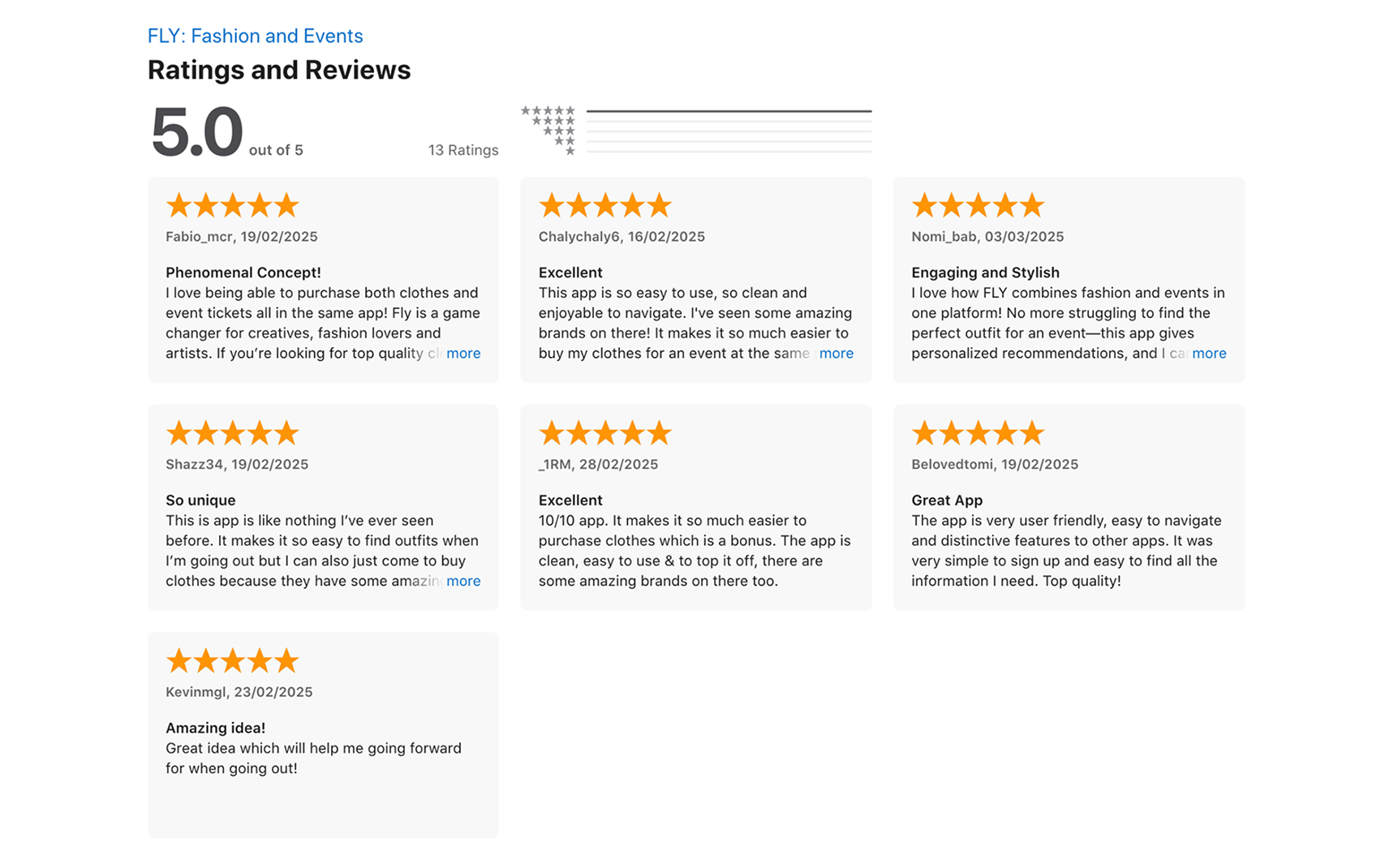
The final designs offer a seamless, intuitive experience that integrates event discovery, clothing purchases, and ticketing for customers, while providing businesses with a more efficient product management and sales process.
Key Features:
Customer App:
- Home Screen: Displays featured events and outfit suggestions.
- Search Screen: Allows users to explore events and clothing.
- Product Listings: Lists outfit options based on event selection.
- Payment Screen: Secure ticket and clothing purchase options.
Business App:
- Dashboard: Overview of sales performance.
- Inventory Management: Easy product listing and tracking.
Outcome
Changes
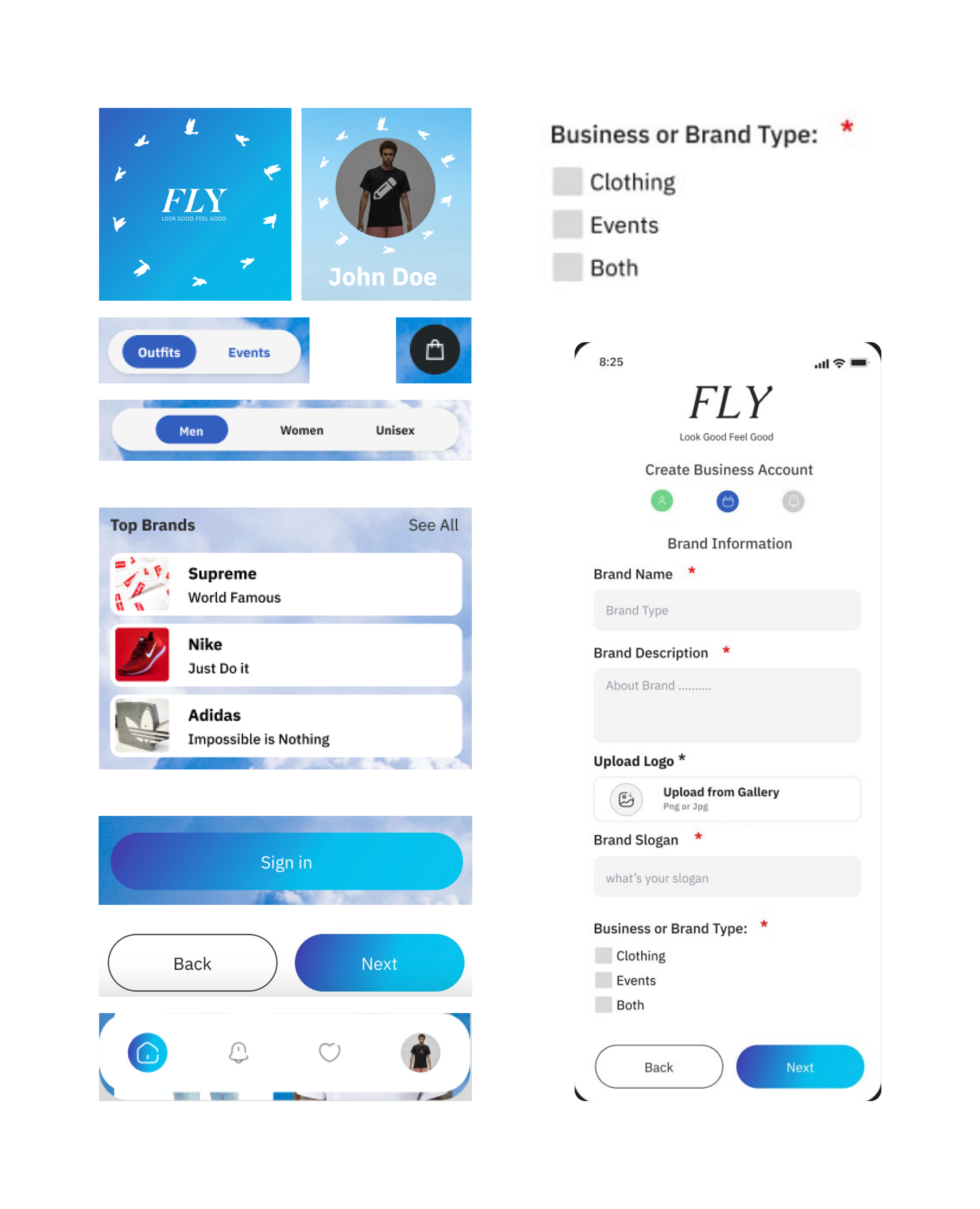
Here is the outcome, showing the implemented changes alongside before-and-after comparisons to highlight improvements in usability and design.
Reflections &
Key Learnings
Challenges & Solutions:
Some UX designs faced technical limitations. Regular meetings with the tech team, Fly partners, and developers helped identify feasible alternatives while preserving UX principles. Understanding developer constraints early helped avoid unnecessary revisions.
Key Learnings
Working at Fly taught me to prioritise high-impact changes under tight timelines. I learned the value of iterative design and testing to improve usability efficiently. Collaboration with stakeholders and senior designers reinforced how to balance user needs with business goals.
Reflections & Takeaways:
- Collaboration is Key: Cross-functional teamwork highlighted the value of communication in achieving project goals.
- Balancing Design & Development: Adapting designs to technical feasibility is crucial.
- The Power of Simplicity: Streamlined workflows create a smoother, more intuitive experience.
- Clear Communication: Setting clear goals during meetings enhances decision-making and accelerates progress.
Looking Ahead
Final Thoughts – My Impact & Growth:
At Fly, I contributed to a more intuitive user experience by refining UI elements, leading usability testing, and ensuring consistency across the apps. This experience strengthened my UX knowledge, improved collaboration skills, and enhanced my ability to adapt to real-world challenges. It has prepared me to continue delivering user-centered solutions in future roles.
Impact for Employers
Key Takeaways for Employers:
- Hands-on experience in UX design, usability testing, and cross-functional collaboration under tight deadlines.
- Proven ability to solve real-world problems by simplifying workflows and translating user feedback into actionable design improvements.
- Practical skills in communication, collaborative design, usability testing, and iterative refinement.
- Pragmatic approach to UX, balancing user needs with business constraints while prioritising key insights and adapting research methods to tight timelines.